How to view THE LATEST SCOOP®
If you haven’t created a ZINIO account yet, click “Current Subscriber Digital Access Help” or “New Subscriber” at the top of this page.
If you have already created a ZINIO account follow these steps.
1. Go to https://www.zinio.com/
or Click Here
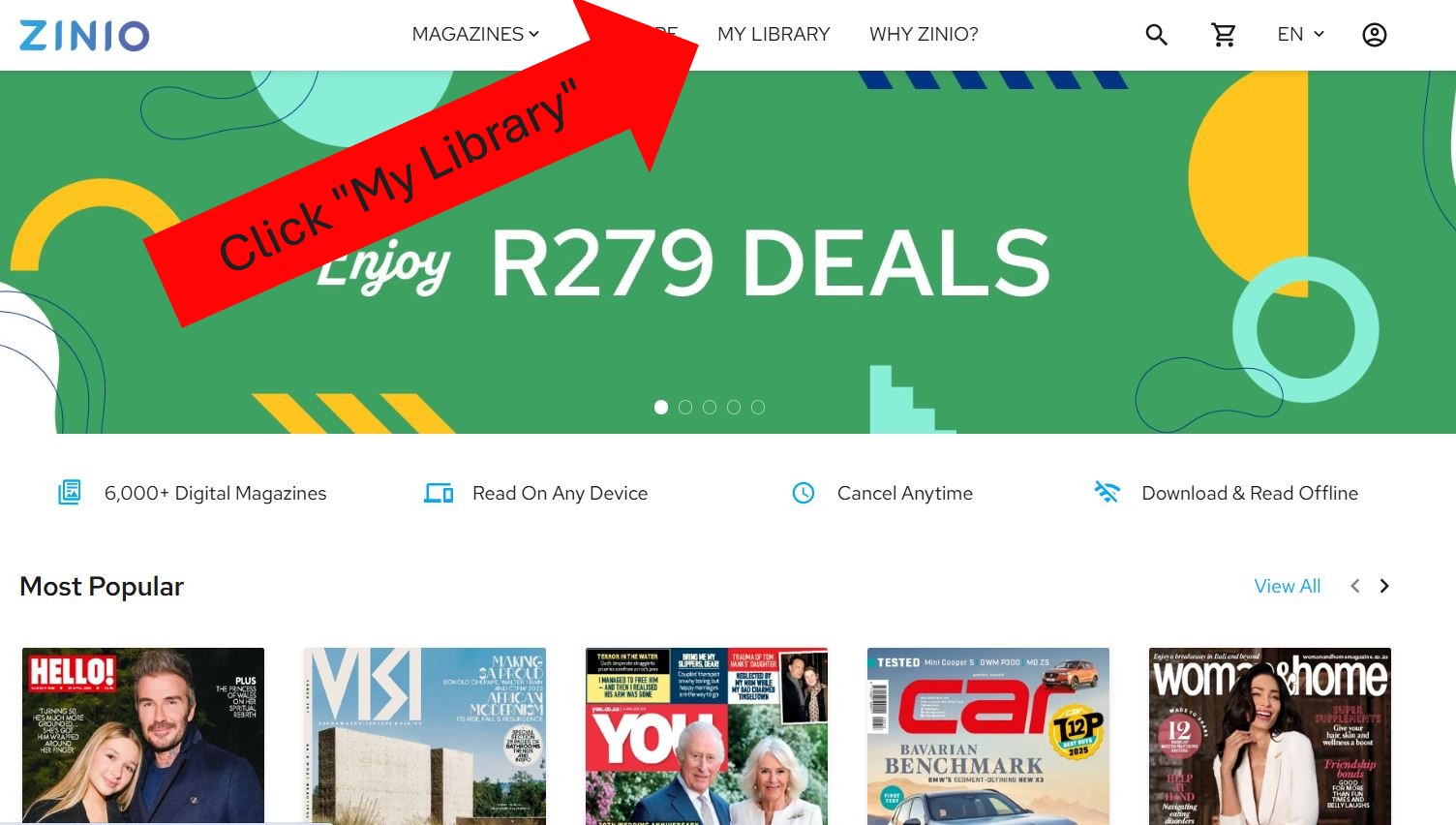
2. Click on “My Library”
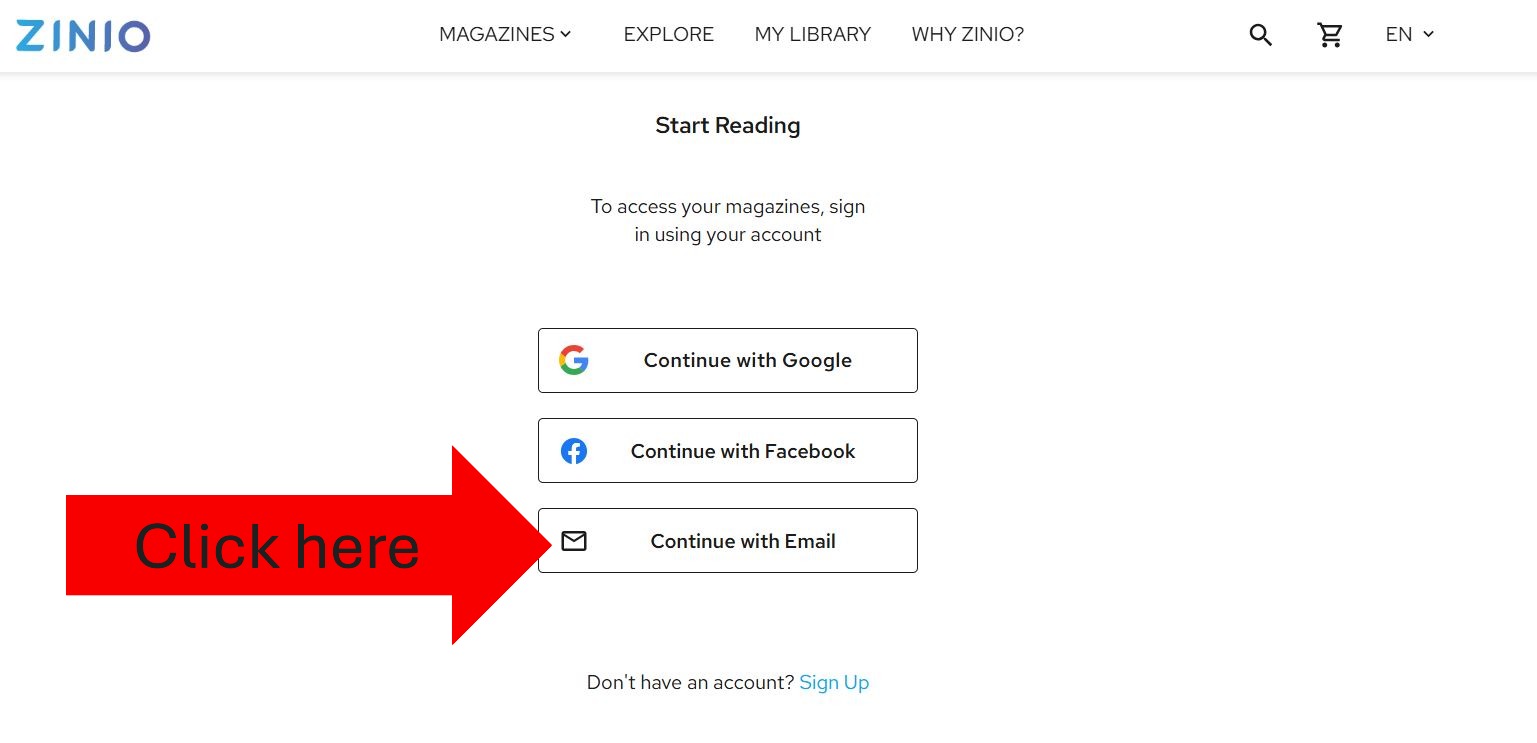
3. Click on “Continue with Email”
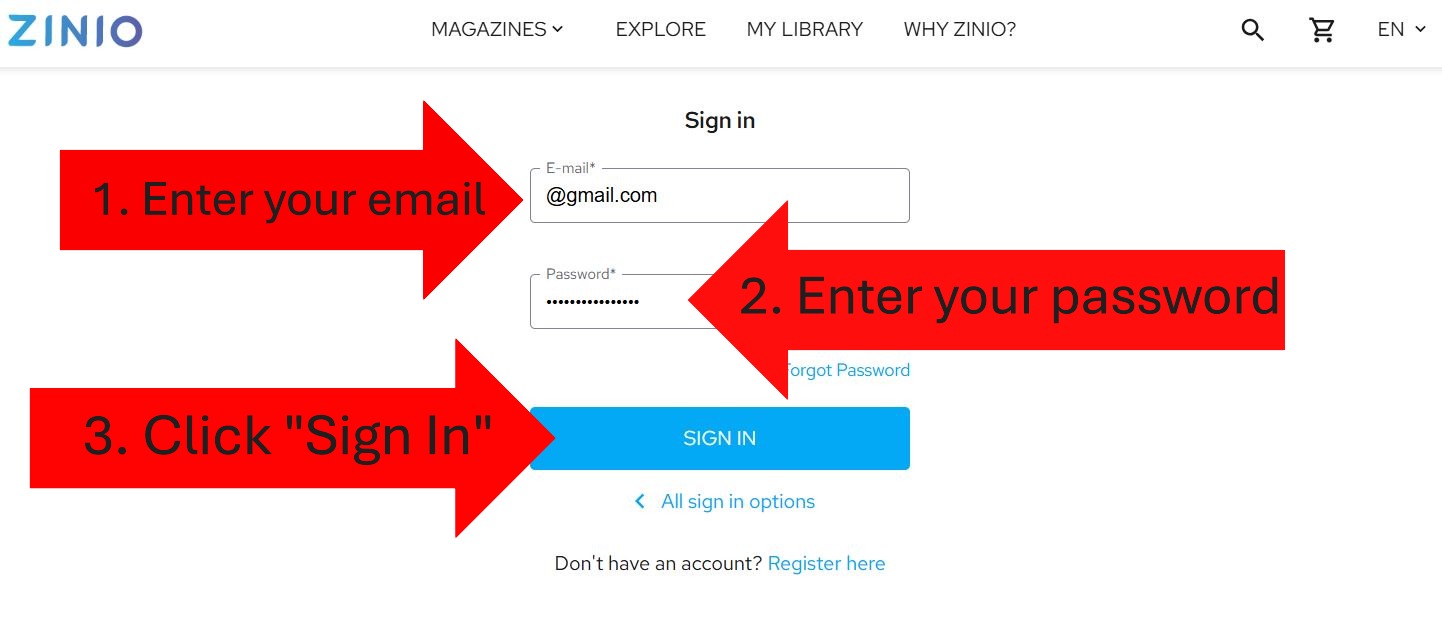
4. Enter your email and password you used to sign up
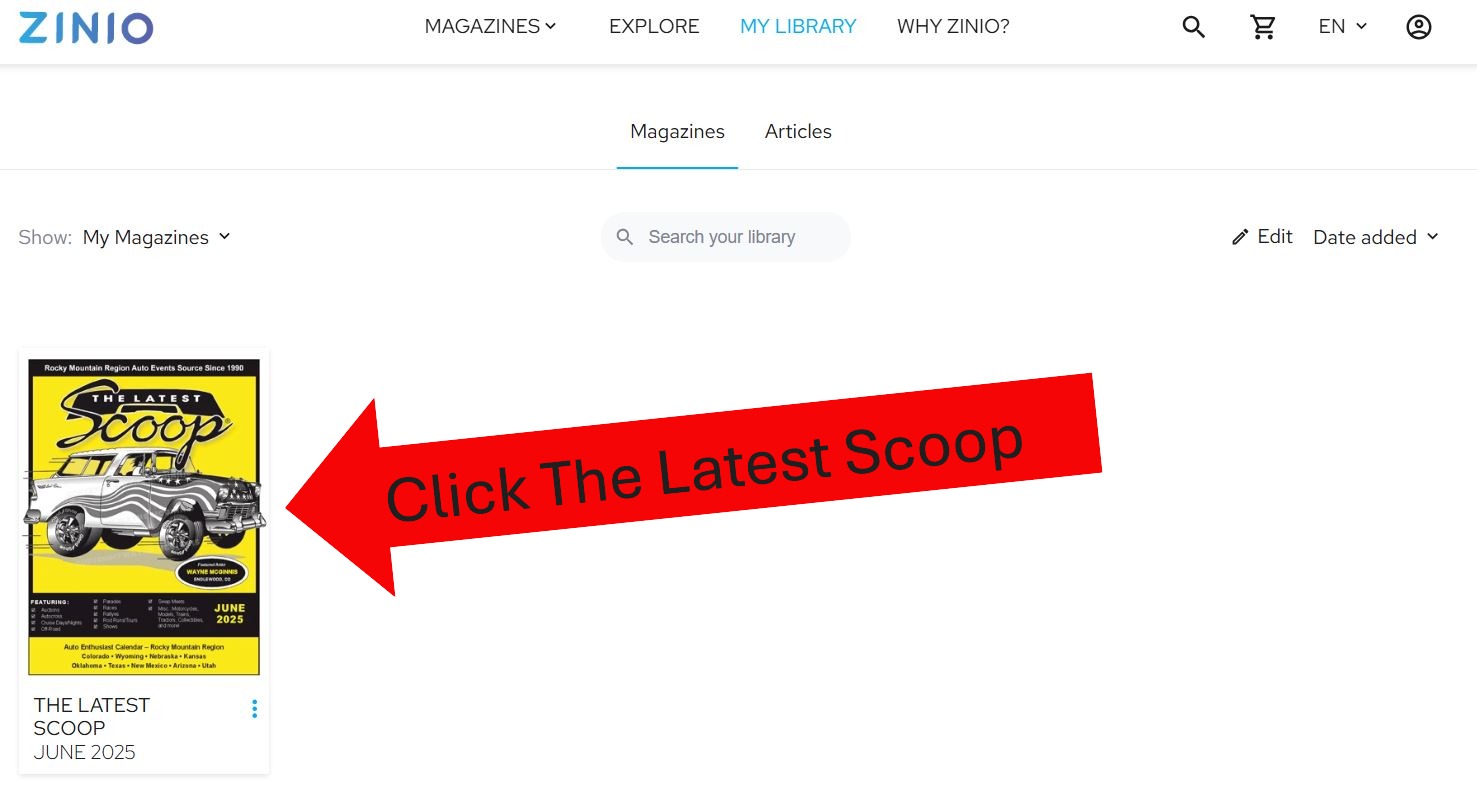
5. Click THE LATEST SCOOP®